


There’s no shortage of TikTok video editors available today. From native in-app tools to third-party apps to AI-powered platforms that build entire videos from a single prompt, the options are genuinely overwhelming, especially if you’re just starting out.But here’s the thing most “best tools” listicles miss: the right editor isn’t the one with the most features. It’s the one that fits how you create. A fast-paced reaction creator has completely different needs than a brand running educational content. A solo creator shooting on their phone needs something different from a small marketing team producing weekly videos at scale.
This guide cuts through the noise. You’ll learn what actually matters when choosing a TikTok video editor, how to match your content style to the right type of tool, and why more creators are moving toward AI-powered solutions to close the gap between ideas and finished videos.
Why Your Content Style Should Drive Your Tool Choice
Most people choose a video editor the wrong way, they pick whatever is most popular or whatever their favorite creator mentioned in a video. That’s how you end up spending three hours learning an interface that was never designed for what you’re trying to make.
Your content style determines everything: how fast you need to produce, how much visual complexity your videos require, whether you’re editing raw footage or creating from scratch, and how much time you can realistically spend per video.
Before comparing any tools, it helps to identify which type of creator you are.
The trend-driven creator moves fast. You react to sounds, memes, and formats while they’re hot. For you, speed and access to trending audio matter more than fine-grained control.
The educational or explainer creator needs structure. You’re making content that walks viewers through a concept, a process, or a how-to. Captions, clear pacing, and voiceover quality are non-negotiable.
The brand or business creator is producing content consistently, often across multiple formats and platforms. You need reliability, scalability, and a workflow that doesn’t require a dedicated video editor on the team.
The storytelling or cinematic creator wants creative control, color grading, custom transitions, precise timing. You’re willing to invest time in exchange for a distinct visual style.
Once you know which of these you are, choosing a tool becomes a much simpler decision.
The Main Types of TikTok Video Editors
TikTok’s Native Editor
The built-in editor is the most frictionless starting point. You’re already in the app, the trending sounds are right there, and effects are baked in. For trend-driven creators who need to move quickly, it’s often the best option, not because it’s the most powerful, but because speed is the priority.
Where it falls short: export quality is capped, creative flexibility is limited, and there’s no way to build a consistent visual identity when every feature is tied to what TikTok decides to surface in its effects library that week.
Best for: trend-driven creators, beginners testing the waters, quick-turnaround content.
Mobile Editing Apps (CapCut, InShot, VN)
This tier offers significantly more control than TikTok’s native editor without requiring a desktop setup. CapCut in particular has become the de facto standard for creators who want features like keyframing, speed ramping, chroma key, and auto-captions on mobile.
The trade-off is time. These apps reward creators who are willing to learn the interface and invest in manual editing. For a cinematic or storytelling creator, that investment pays off. For someone producing three to five videos a week, it can become a bottleneck fast.
Best for: cinematic creators, storytelling creators, anyone who enjoys hands-on editing and has the time for it.
Desktop Editors (Premiere Pro, DaVinci Resolve)
Professional-grade tools with full creative control. If you’re producing high-production-value content and have the skills to match, desktop editors deliver results that nothing else can replicate.
For most TikTok creators, though, these tools are overkill. TikTok’s format rewards authenticity and speed over production polish, a perfectly color-graded video rarely outperforms a well-edited, timely one. Unless video production is your primary profession, the learning curve rarely pays off in TikTok-specific results.
Best for: cinematic creators, video professionals, long-form content that gets repurposed into TikTok clips.
AI TikTok Video Editors
This is where the conversation has shifted most significantly over the past year. AI-powered tools don’t just assist with editing, they handle the majority of the production process entirely. You provide a prompt, a script, or a topic, and the tool generates a complete video with visuals, voiceover, captions, and music.
For educational creators, brand creators, and anyone producing content at volume, this is a fundamentally different value proposition. You’re not trading control for convenience, you’re removing the parts of the process that don’t require creative judgment in the first place.
Why an AI TikTok Video Editor Makes Sense for Most Creators
The honest answer is that most TikTok creators don’t want to be video editors. They want to communicate ideas, build an audience, and produce content consistently. The editing process is a means to that end, not the goal itself.
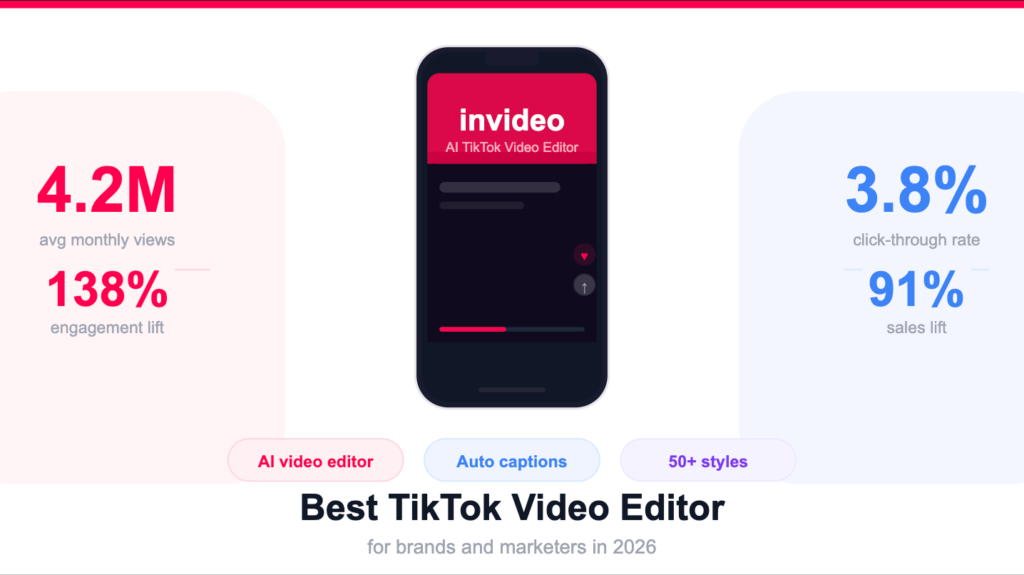
This is exactly the gap that an AI TikTok video editor like invideo fills. Instead of importing footage, trimming clips, hunting for music, recording voiceovers, and manually adding captions, you describe what you want, and the platform builds the video.
Invideo takes your script or prompt and produces a fully edited TikTok with AI-generated or stock visuals, human-sounding voiceovers in 50+ languages, synced background music, and auto-generated subtitles, all optimized for TikTok’s 9:16 vertical format. If you want to change something, you use the Magic Box editor and type a plain-language instruction: “make the intro faster,” “change the background music,” or “use a female voiceover.” No timeline. No keyframes. No technical knowledge required.
For educational creators, this means you can produce a clear, well-paced explainer video in the time it used to take just to find the right background music. For brand creators, it means maintaining a consistent posting schedule without hiring a dedicated video editor. For beginners, it means there’s no barrier to entry, you can create professional-quality content from day one.
Matching Your Content Style to the Right Tool
Here’s a direct breakdown to make the decision straightforward:
You’re a trend-driven creator → Start with TikTok’s native editor for speed. Add CapCut for more complex edits when the trend gives you a little more time to work with.
You’re an educational or explainer creator → An AI TikTok video creator is the strongest fit. The voiceover, caption, and scripting features are built for exactly this format, and you can produce consistently without the time drain of manual editing.
You’re a brand or business creator → invideo is built for this use case. The workflow system, stock media library, and AI generation features allow a small team, or even a solo marketer, to produce multiple TikToks a week without a dedicated production setup.
You’re a cinematic or storytelling creator → CapCut for mobile, DaVinci Resolve or Premiere for desktop. You want the control, and these tools give it to you. That said, invideo’s 50+ style workflows are worth exploring for specific content types where speed matters more than precision.
You’re a beginner figuring it out → Start with invideo. The learning curve is minimal, the output is professional, and you’ll spend your energy on ideas rather than technical execution.
What to Look For in Any TikTok Video Editor
Regardless of which tool you’re evaluating, these are the criteria that actually matter:
Vertical format support. TikTok is 9:16. Any editor you use should make this the default, not an afterthought. Cropping a horizontal video for TikTok always shows.
Caption generation. A significant portion of TikTok viewers watch without sound. Auto-caption support is no longer optional, it’s a baseline requirement for any serious TikTok video maker.
Audio tools. Sound sync, trending music access, and voiceover capability directly impact performance. An editor that limits your audio options limits your content.
Export quality. Compressed exports hurt watch time. Make sure your editor exports at a quality level that doesn’t visibly degrade when uploaded.
Workflow speed. How many steps does it take to go from idea to exported video? For high-volume creators, this number matters more than any individual feature.
The Shift Toward AI-Powered Creation
A few years ago, the question “which TikTok video editor should I use?” almost always pointed toward a traditional editing app. The assumption was that editing meant working with footage you’d already captured.
That assumption no longer holds. The rise of AI video generation means that for a growing number of creators, especially those making educational, informational, or brand content, the editing process now begins with a prompt, not a camera roll.
This doesn’t replace the need for creative judgment. You still need to know what you’re trying to communicate, who you’re talking to, and what will keep someone watching past the first three seconds. What AI tools like invideo remove is the technical overhead that sits between your idea and a finished video, the timeline management, the asset hunting, the voiceover recording, the caption syncing.
For most creators, that overhead was never adding value. It was just friction.
Final Thoughts
Choosing the right TikTok video editor isn’t about finding the tool with the longest feature list. It’s about finding the one that removes the most friction between your ideas and your finished content, without creating new friction in the form of a steep learning curve or a time-consuming workflow.
If you’re a hands-on, cinematic creator who loves the craft of editing, CapCut or a desktop editor will serve you well. If you’re building a content strategy, running a brand, or simply want to produce great TikTok videos without spending hours in an editing interface, an AI TikTok video maker is the more honest choice.
Invideo is worth starting with, it’s free to try, and for most content styles, it’s the fastest path from idea to published video.
